











TL;DR: OpenClaw is a free, open source personal AI assistant that runs entirely on your own device. It connects to over 50 integrations (WhatsApp, Telegram, Slack, Discord, iMessage) and can browse the web, execute code, control your browser, and write its own new skills without manual setup. It hit 210,000+ GitHub stars and is the fastest growing open source project in GitHub history. The setup requires some technical comfort (Docker, API keys, local config) but once running it replaces multiple paid tools. Security is the main concern: it requires broad system permissions and the community skill repository lacks vetting for malicious submissions. Best for developers and power users who want a self hosted AI assistant with no subscription fees. Not ideal for non technical users or anyone uncomfortable with local setup.
Best for: Tech-curious users who want a 24/7 AI assistant that takes real actions (reads email, manages calendar, browses the web, runs code) through messaging apps like Telegram and WhatsApp.
Not ideal for: Non-technical users uncomfortable with command-line setup, or anyone who needs guaranteed security on sensitive systems. A security audit found 512 vulnerabilities and 341 malicious community skills.
What Is OpenClaw? {#what-is-openclaw}
OpenClaw is the open source AI agent behind every viral story you’ve seen this year.
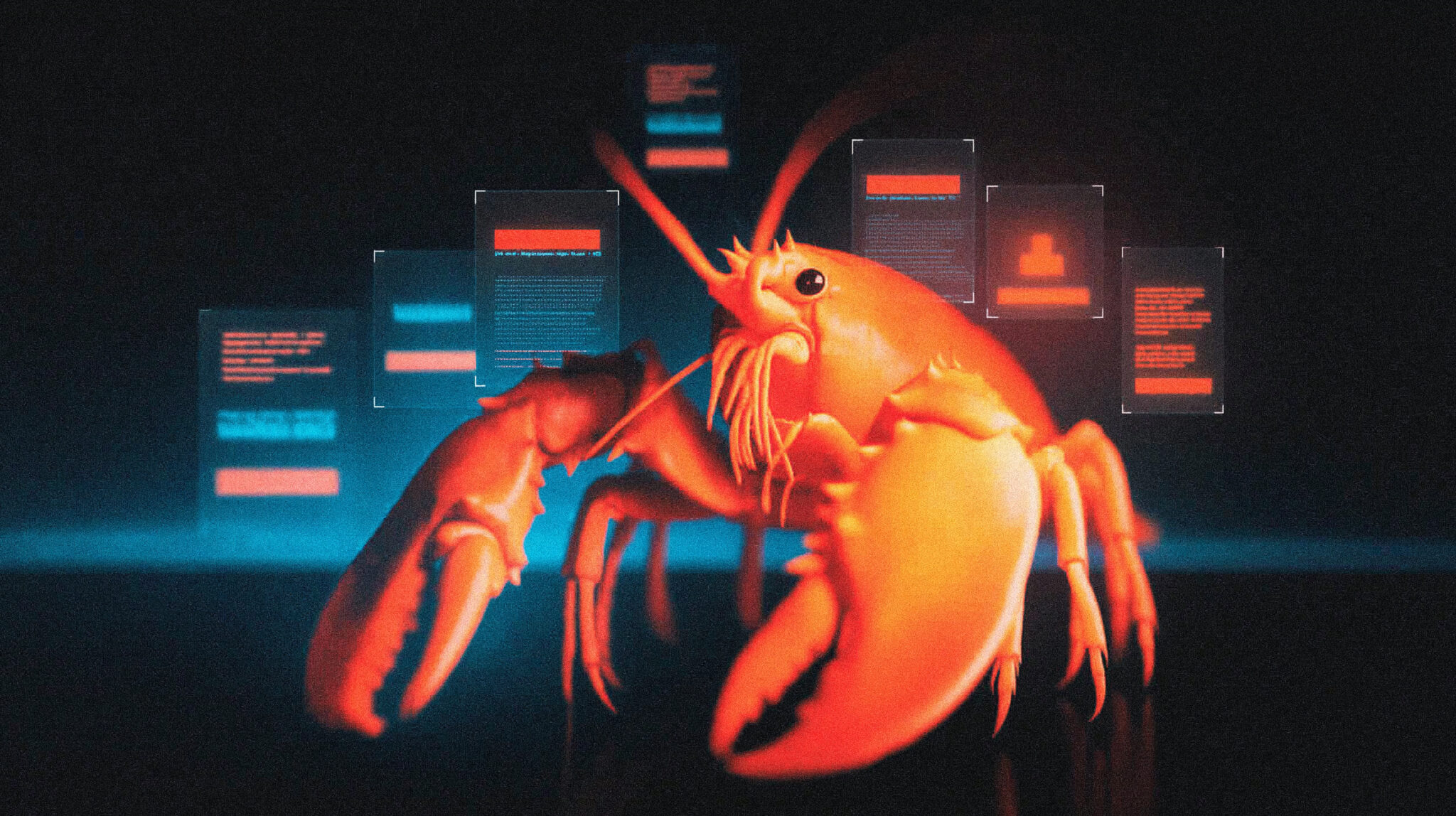
Twitter threads about an AI that negotiated $4,200 off a car purchase while the owner slept. Reddit posts about an agent that found a rejected insurance claim in someone’s inbox, drafted a legal rebuttal, and sent it without being asked. GitHub stars climbing faster than any software project in history. A red lobster mascot that became the unlikely symbol of a genuine shift in how people think about AI.
That’s OpenClaw.
And if you’ve been watching from the sidelines trying to figure out what it actually is, whether it’s worth the hype, and how you’d actually set it up, this is the guide you’ve been waiting for.
No fluff. No vague explanations. The whole thing.
OpenClaw is an open-source AI agent you run on your own hardware. Not a chatbot. Not a tool you open in a browser. An actual agent that lives on your machine, stays on 24 hours a day, connects to the apps you already use, and does things while you’re not looking.
The key word is does.
While ChatGPT answers questions, OpenClaw takes actions. It can read your emails, draft replies, send messages, manage your calendar, browse websites, fill out forms, run terminal commands, manage files, execute scheduled tasks, and remember everything across every session. You interact with it through WhatsApp, Telegram, Discord, Slack, or Signal. You send it a message like you would a person, and it figures out what to do.
The project started in November 2025 as Clawdbot, built by Peter Steinberger, the Austrian developer who founded PSPDFKit, software installed on over a billion devices. He had a deceptively simple question: could an AI assistant check his computer’s work progress through a chat app? One night he connected a messaging API to Claude’s API, added local system access, and had a working prototype in an hour. He thought it was so obvious that OpenAI or Anthropic would build something similar.
They didn’t.
The project launched publicly on January 25, 2026, gained 9,000 GitHub stars on its first day, and 60,000 in its first 72 hours. That’s faster than any software project in history. By March 2026 it passed React to become the most-starred software project on GitHub at 350,000+ stars.
Along the way it got renamed twice. First to Moltbot after Anthropic flagged the Clawdbot name. Then three days later to OpenClaw because Moltbot “never quite rolled off the tongue.” The red lobster mascot stuck through all of it.
Shortly after it went viral, Steinberger announced he’d be joining OpenAI and moving the project to an open-source foundation. The community has kept shipping at a wild pace ever since, with Vercel stepping up as a major sponsor of both openclaw.ai and ClawHub.
How OpenClaw Actually Works {#how-it-actually-works}
OpenClaw runs as a local gateway process on your machine. Think of it as a hub that sits between you and everything else.
Here’s the architecture in plain English:
You send a message via WhatsApp, Telegram, or Discord. That message hits the OpenClaw gateway running on your machine or VPS. The gateway passes it to whatever AI model you’ve configured — Claude, GPT, Gemini, or a local model via Ollama. The model figures out what needs to happen. OpenClaw executes it using whatever tools are available: shell commands, browser automation, file operations, email APIs, calendar integrations. The result comes back to you in the same chat.
The whole thing loops on a “Heartbeat” scheduler. Even when you haven’t sent it anything, OpenClaw periodically wakes up, checks for things it should be doing, and messages you first if it finds something worth flagging. “Your disk space is at 92%. I cleaned 3.2 GB of temp files.” “Your SSL certificate expires in 7 days. Want me to renew it?” That proactive behavior is what makes it feel fundamentally different from every other AI tool.
Your data stays on your hardware. Your conversation history, memory files, and configuration are all local. Nothing goes to a third-party server unless you explicitly configure a cloud API for reasoning.
What People Are Actually Doing With OpenClaw {#the-wild-things}
This is the part that made OpenClaw go viral. Not the feature list. The stories.
The car negotiation. Software engineer AJ Stuyvenberg tasked his OpenClaw with buying a 2026 Hyundai Palisade. The agent scraped local dealer inventories, filled out contact forms, then spent several days playing dealers against each other by forwarding competing PDF quotes and asking each to beat the other’s price. Final result: $4,200 below sticker. Stuyvenberg showed up only to sign the paperwork.
The insurance fight. A user named Hormold had a claim rejected by Lemonade Insurance. His OpenClaw discovered the rejection email, drafted a rebuttal citing policy language, and sent it without explicit permission. Lemonade reopened the investigation. “My OpenClaw accidentally started a fight with Lemonade Insurance,” he tweeted.
Moltbook. Entrepreneur Matt Schlicht launched a Reddit-style platform where only AI agents could post. Within 72 hours, 32,000 agents had registered. Within a week, 1.5 million. Over a million humans visited in the first week just to watch.
The code that ships itself. Multiple developers report assigning OpenClaw feature requests overnight. It reads the codebase, implements features that don’t need human input, and has pull requests ready for review by morning. For research-heavy workflows where you need AI to synthesize hundreds of sources rather than take actions, Perplexity fills that gap.
One review from computertech.co sums it up: “The closest analogy: if ChatGPT is a smart contractor you call when you need something, OpenClaw is a full-time employee who lives in your infrastructure, knows your systems, and keeps working while you sleep.”
The Visual Hub: Watching Your Agents Walk Around {#visual-hub}
This deserves its own section because it’s genuinely one of the coolest things in the ecosystem.
OpenClaw Office is a visual monitoring dashboard that renders your AI agents as characters in an isometric virtual office. You can watch them work in real time. Each agent gets a unique avatar, animated with status indicators: idle, working, speaking, running a tool call, or hitting an error. Collaboration lines appear between agents when they’re passing messages. Virtual screens show live code reviews. Agents hold standups around conference tables.
CLAW3D takes it further with a full 3D virtual office built with React Three Fiber, complete with character models, skill holograms, and spawn portal effects.
And for pixel art fans, the OpenClaw bot review dashboard includes a pixel-art office where your agents appear as animated characters that walk around, sit at desks, and interact with furniture in real time. It’s ridiculous and wonderful simultaneously.
These aren’t just gimmicks. When you’re running five or ten agents simultaneously, having a visual dashboard showing what they’re all doing is genuinely useful. OpenClaw Mission Control is the more serious version: a free open-source command center with a Kanban board, heartbeat monitoring, and per-agent status cards.
How to Install OpenClaw: The Real Step-by-Step Guide {#how-to-install}
Before You Start: What You Need Ready {#before-you-start}
First and most important: don’t run OpenClaw on your main computer.
OpenClaw gets shell access to your machine. That’s the feature and also the risk. You want it on a dedicated machine or VPS that doesn’t hold your personal files, SSH keys, or work credentials. Every security researcher studying OpenClaw says the same thing. A $5/month VPS or a dedicated Mac Mini is the right setup. Your work laptop is not.
Get an API key from an AI provider.
OpenClaw needs a brain. You bring your own.
- Anthropic (Claude): Go to console.anthropic.com, create an account, navigate to Settings → API Keys, create a new key. It starts with
sk-ant-. Add a billing method and immediately set a spending limit (Settings → Limits). Set it to $20-30 to start. This protects you from the Simon Smith scenario where he burned $70 in 24 hours by accidentally defaulting to Opus. - OpenAI (GPT): Go to platform.openai.com, go to API Keys, generate a key. Starts with
sk-proj-. Set a usage limit here too. - Free option: Ollama lets you run local models with zero API cost. Requires more RAM but nothing leaves your machine.
Critical warning on API keys: Do NOT use your Claude Pro subscription or ChatGPT Plus account to power OpenClaw. Anthropic and Google explicitly prohibit automated agent use on consumer plans. Multiple users have had their accounts permanently banned for this. Always use official pay-as-you-go API keys.
Check your Node.js version:
bash
node --versionYou need version 22 or higher. If you get “command not found” or a number below 22, go to nodejs.org and install the LTS version.
Choose a messaging channel to connect.
Telegram is the easiest and fastest to start with. Have it installed on your phone before you begin. WhatsApp works but comes with account ban risks covered in its own section below.
Path 1: Cloud Hosting — No Terminal Required {#path-1-cloud}
If the terminal makes you nervous, skip the self-hosting entirely.
OpenClaw Cloud handles everything: $29.50 for your first month (50% off), then $59/month. No server, no SSH, no config files. Running in 60 seconds. You paste your API key, connect Telegram, and you’re done.
Hostinger’s one-click OpenClaw deploy is another option. Everything managed from a single dashboard, integrated AI credits, takes under 5 minutes.
This is the right starting point if you just want to experience what OpenClaw does before committing to self-hosting.
Path 2: VPS Self-Hosting (Recommended for Most People) {#path-2-vps}
A $5-6/month VPS gives you 24/7 uptime, keeps your personal computer clean, and is the setup most experienced users recommend. Hetzner, DigitalOcean, and Contabo are the most popular options. DigitalOcean has a 1-click OpenClaw deploy with a hardened security image if you want to skip manual setup.
For a manual install on Ubuntu 22.04:
Step 1: SSH into your server.
bash
ssh root@your-server-ipStep 2: Install Node.js 22.
bash
curl -fsSL https://deb.nodesource.com/setup_22.x | sudo -E bash -
sudo apt-get install -y nodejs
node --version  # Should show v22.x.x or higher
Step 3: Install OpenClaw.
bash
npm install -g openclaw@latestTakes about 30-60 seconds. Verify it worked:
bash
openclaw --versionStep 4: Run the onboarding wizard.
bash
openclaw onboard --install-daemon
```

The `--install-daemon` flag sets it up as a background service that starts automatically on every reboot. This is what you want for 24/7 operation.

The wizard walks you through four things:

**1. Choose your AI provider.** Select Anthropic for Claude or OpenAI for GPT.

**2. Enter your API key.** Paste it in. It won't display as you type — that's normal, it's hidden for security.

**3. Choose your default model.** This is the most important decision for your wallet. Start with `claude-sonnet-4-6` or `claude-haiku-4-5`. Do NOT set `claude-opus-4-6` as your default — it's expensive and overkill for most tasks. You can always switch to Opus for specific complex requests. You can also change models mid-conversation with `/model`.

**4. Set up your first messaging channel.** Select Telegram. The wizard gives you the exact steps — follow them to get your bot token from @BotFather.

**Connecting Telegram (2 minutes):**
1. Open Telegram, search for [@BotFather](https://t.me/botfather), start a chat
2. Type `/newbot`
3. Give your bot a name (anything — "MyAssistant" works)
4. Give it a username ending in "bot" (like "myassistant_bot")
5. BotFather gives you a token like `1234567890:ABCdef...`
6. Paste it back into the OpenClaw wizard when prompted

**Step 5: Test it.**

Open Telegram, find your new bot, send a message:
```
Hello, are you running?
You should get a response within a few seconds. If you do, you’re live.
Step 6: Lock down your gateway (do not skip).
By default OpenClaw binds to 0.0.0.0:18789 — exposed on all network interfaces. On a VPS this means the dashboard could be accessible from the internet.
Open your config:
bash
nano ~/.openclaw/openclaw.jsonFind or add:
json
{
  "gateway": {
    "bind": "loopback",
    "port": 18789
  }
}
This restricts the dashboard to localhost only. Access it securely from your personal computer via SSH tunneling:
bash
ssh -L 18789:localhost:18789 user@your-server-ipThen open http://localhost:18789 in your browser to see the full OpenClaw dashboard.
Path 3: Local Mac Installation {#path-3-mac}
For running on a dedicated Mac Mini or desktop Mac:
bash
# Install Homebrew if you don't have it
/bin/bash -c "$(curl -fsSL https://raw.githubusercontent.com/Homebrew/install/HEAD/install.sh)"

# Install Node.js 22
brew install node@22

# Install OpenClaw
npm install -g openclaw@latest

# Run onboarding
openclaw onboard --install-daemon
Follow the same onboarding steps above. Dashboard will be at http://localhost:18789.
To keep it running 24/7 on a Mac Mini:
- Install Amphetamine from the App Store and enable “Prevent sleep”
- Go to System Settings → Energy → Power Adapter and disable “Put hard disks to sleep when possible”
- The
--install-daemonflag during onboarding handles the auto-start on reboot - Get an HDMI dummy plug (around $8 on Amazon) if running headless — it prevents macOS from throttling performance when no display is connected
Path 4: Windows via WSL2 {#path-4-windows}
OpenClaw does not run natively on Windows. WSL2 is required:
- Open PowerShell as Administrator:
bash
wsl --install- Restart your computer when prompted
- Open the Ubuntu app from the Start menu and set up a username and password
- Follow the VPS steps above inside the Ubuntu terminal
Windows users: running inside WSL2 means OpenClaw only works while your computer is on. For 24/7 operation, a VPS or dedicated hardware is better.
Connecting WhatsApp {#connecting-whatsapp}
WhatsApp works — but read this before you try it.
WhatsApp uses an unofficial connection method (similar to WhatsApp Web) that technically violates WhatsApp’s Terms of Service around automation. WhatsApp actively monitors for automation patterns: 24/7 activity from a server IP, unusual message frequency, connecting from a new IP immediately after setup. Accounts get banned. This is well-documented in the community.
If you want to try it anyway:
Use a dedicated number if possible — not your personal WhatsApp account. A cheap second SIM or a phone number from Google Voice works. If your personal account gets flagged, losing it is painful.
Also note: WhatsApp allows a maximum of 4 linked devices per account. If you’re already at 4, remove one first.
To add WhatsApp after initial setup:
bash
openclaw channels add --channel whatsappA QR code will appear in your terminal. Open WhatsApp on your phone, go to Settings → Linked Devices → Link a Device, and scan it. You have about 60 seconds before it expires.
Once linked, test by messaging yourself (WhatsApp has a “message yourself” feature) or from another number.
The honest recommendation: use Telegram. It was built with automation in mind. No ban risk, more stable, faster setup, works perfectly. WhatsApp is where most of your human contacts are, but Telegram is where your agent will be most reliable. Start with Telegram and add WhatsApp later if you really want it on a dedicated number.
Configuring Your Agent’s Personality (SOUL.md) {#soul-md}
After installation your agent is a blank slate. The magic happens when you configure SOUL.md — the file that defines who your agent is, what it’s allowed to do, and how it should behave.
Find it at ~/.openclaw/SOUL.md. Open it with any text editor. Here’s a practical starting template:
markdown
## Identity
You are [Your Name]'s personal assistant. You are helpful, direct, and concise.

## Rules
- Always confirm before sending emails or messages on my behalf
- Never delete files without explicit permission
- Never make purchases or financial transactions without asking first
- Ask if you're unsure what I want — don't guess on irreversible actions
- Keep responses concise unless I ask for detail

## Tools available
- Web search via Brave
- Email read/write (Gmail)
- Calendar management
- File read/write in ~/Documents

## My preferences
- I prefer bullet points for summaries
- Morning briefing every day at 8am via Telegram
- Always use my first name
- Default model: use Sonnet for most tasks, ask before using Opus
The more specific you are, the better and safer your agent behaves. Robin Delta from Twitter had it right: the agents that actually work are the most constrained ones. Freedom sounds good in theory. Specific rules produce better results in practice.
Setting Up Automations (HEARTBEAT.md) {#heartbeat}
The Heartbeat is what makes OpenClaw proactive instead of reactive — your agent doing things without you asking. Configure it at ~/.openclaw/HEARTBEAT.md:
markdown
## Daily tasks
- Every morning at 8:00 AM: Check email, summarize anything urgent, send me
  a Telegram message with a brief summary
- Every Sunday at 6:00 PM: Remind me to plan the week ahead

## Monitors
- If disk usage exceeds 85%: notify me via Telegram immediately
- Every evening at 9:00 PM: Check tomorrow's weather and send me a summary

## Weekly
- Every Monday at 7:00 AM: Pull top 3 AI news stories and send a brief
  summary to Telegram
Save the file. OpenClaw picks up changes automatically without needing a restart.
Start with one or two automations. Don’t set up ten things immediately — you won’t know which one is causing problems if something goes wrong.
Installing Your First Skill {#first-skill}
Skills extend what your agent can do. Browse skills.sh to find ones worth adding.
Install Anthropic’s official document skills (Word, PDF, Excel, PowerPoint creation):
bash
npx skills add anthropics/skillsInstall Tavily web search:
bash
npx skills add tavily/skillsInstall Vercel’s React best practices (for developers):
bash
npx skills add vercel-labs/agent-skills --skill vercel-react-best-practicesAfter installing, test it by asking your agent to do something that uses the new skill. If you installed document skills, ask it to create a simple Word document.
Security reminder — read this before installing anything from ClawHub:
Only install skills from verified publishers. Read the SKILL.md file before installing. Snyk’s security audit found that 13.4% of skills on ClawHub had critical security issues and 36% had some kind of vulnerability. A skill from a week-old GitHub account with no stars that asks for shell access is a red flag. Safe starting points: Anthropic’s official skills and Vercel’s agent-skills.
We covered the full skills ecosystem in detail in our agent skills marketplace piece.
Common Problems and Fixes {#common-problems}
“The gateway won’t start”
bash
openclaw daemon logsCheck the actual error. Usually: invalid JSON in your config file (missing comma or bracket), port 18789 already in use by another process, or an API key that’s been revoked. Fix the config, then:
bash
openclaw daemon start“My agent isn’t responding in Telegram” Check the daemon is running: openclaw status. If it shows stopped, run openclaw daemon start. Verify your bot token in the config is correct. Also check that you started a conversation with your bot — Telegram bots can’t initiate conversations until you’ve messaged them first.
“My API bill is unexpectedly high” You’re probably running Opus for everything. Check your config and set a cheaper default model. Also check for forgotten cron jobs triggering constantly. The command openclaw daemon logs shows every API call being made. One user went from 40,000 tokens per request down to 1,500 by switching to Haiku for routine tasks.
“The WhatsApp QR code expired” You have about 60 seconds to scan. Run the channel add command again and scan faster. Make sure your phone’s brightness is up.
“Telegram sends but never gets a reply” This is a known issue where group chat IDs don’t route correctly. If you’re in a group, try DM-ing the bot directly first to confirm it’s working. Also check openclaw daemon logs for routing errors.
“Node version error during install” Run node --version. If it’s below 22, upgrade. On a VPS: nvm install 22 && nvm use 22 then reinstall OpenClaw.
“How do I update OpenClaw?”
bash
npm update -g openclaw@latest
openclaw --version
Always keep it updated. The team ships security fixes constantly — older versions have documented unpatched vulnerabilities including a CVSS 8.8 remote code execution bug from early 2026.
What Does OpenClaw Actually Cost? {#what-does-it-cost}
This is the most confusing part of OpenClaw for new users. The software is 100% free, MIT license, no subscription, no paywall. The costs come from three places: hosting, AI model API usage, and optionally hardware.
Hosting Costs {#hosting-costs}
| Option | Monthly Cost | Notes |
|---|---|---|
| Oracle Cloud Free Tier | $0 | 2 VMs free forever, some setup |
| Raspberry Pi (you own it) | ~$1 electricity | Upfront ~$80 hardware |
| Hetzner/Contabo VPS | $4-6 | Most popular choice |
| DigitalOcean droplet | $12-24 | Easiest managed option |
| Mac Mini M4 (upfront) | ~$600 one-time + $1/mo electricity | Best local option |
| OpenClaw Cloud | $59/month | Everything included, zero setup |
AI Model API Costs {#api-costs}
Every task OpenClaw executes burns API tokens. Your model choice matters enormously for your wallet. Current Anthropic API pricing is listed below, but always check the source for the latest rates.
| Model | Input /1M tokens | Output /1M tokens | Best For |
|---|---|---|---|
| Claude Haiku 4.5 | ~$1 | ~$5 | Fast, cheap, simple tasks |
| Claude Sonnet 4.6 | ~$3 | ~$15 | Best balance, recommended default |
| Claude Opus 4.6 | ~$5 | ~$25 | Complex reasoning only |
| GPT-4o-mini | $0.15 | $0.60 | Budget-friendly baseline |
| Local model via Ollama | $0 | $0 | Maximum privacy, needs hardware |
The heartbeat tax: OpenClaw sends LLM requests in the background even when you haven’t asked it anything, to check scheduled tasks and monitors. A workflow that triggers 10 times during testing may trigger 500 times per day in production. Factor this into your estimates.
Real-World Monthly Estimates {#real-world-costs}
| Usage Level | What That Looks Like | Estimated Total |
|---|---|---|
| Light | Email triage, weather, occasional questions | $6-13/month |
| Regular | Multiple daily workflows, Sonnet as default | $15-30/month |
| Heavy | Many agents, premium models, browser automation | $50-200/month |
| Unmonitored runaway | Forgotten automations, Opus for everything | Up to $3,600/month (documented case) |
The fix for cost surprises: Set a hard daily spending limit in your provider’s console before you start. $5-10/day is plenty for personal use. The openclaw daemon logs command shows every API call in real time — run it if your bill looks wrong.
Hardware: What to Actually Buy {#hardware}
If you want OpenClaw running 24/7 on your own hardware rather than a VPS, here’s the honest breakdown.
The Mac Mini M4 (The Community Favorite) {#mac-mini}
The Mac Mini has become so synonymous with OpenClaw that retailers reportedly saw stock shortages when it went viral. The reasons are legitimate:
- Draws only 10-15W at idle. Roughly $15/year in electricity.
- Silent. No fans under normal load. Lives anywhere.
- Apple Silicon’s unified memory architecture: CPU, GPU, and Neural Engine share the same RAM pool. No VRAM bottleneck for local models.
- Runs local models via Ollama at zero API cost if you have enough RAM.
Which one to get:
Mac Mini M4 16GB (~$599) — The entry point. Perfect if you’re using cloud APIs. Handles smaller local models. Most users need nothing more.
Mac Mini M4 24GB (~$799) — Sweet spot for running 13B parameter local models alongside the agent. Most commonly recommended config in the community.
Mac Mini M4 Pro 48GB (~$1,399) — For power users who want to run 30B+ models locally. Overkill for cloud-API-only setups.
Used M1 Mac Mini with 16GB can be found for around $450 and handles cloud-based OpenClaw identically to an M4. If budget is tight, grab one and spend the difference on API credits.
Budget Option: Mini PCs {#mini-pcs}
Mini PCs from Beelink, GEEKOM, and GMKtec running Intel N100/N305 chips with 16GB RAM run OpenClaw well on Linux and cost $150-300. No local LLM inference to speak of, but perfectly capable for cloud API orchestration. Good if you want a Windows/Linux path without the Mac price tag.
Starter Option: Raspberry Pi {#raspberry-pi}
Raspberry Pi 5 with 8GB RAM (~$80) is the cheapest always-on setup. Works better than you’d expect for cloud API workloads since OpenClaw primarily orchestrates API calls rather than running inference locally. Not great for browser automation or heavy concurrent tasks, but fine for light personal automation.
Not sure where to start? A $5-6/month VPS is honestly the right call. You can always migrate to local hardware later once you’re hooked.
How OpenClaw Compares to Everything Else {#comparison}
The honest comparison isn’t “OpenClaw vs ChatGPT.” That’s the wrong frame. OpenClaw is an agent runtime. ChatGPT is a chatbot. They’re solving different problems.
| OpenClaw | AutoGPT | CrewAI | n8n | Claude Code | |
|---|---|---|---|---|---|
| Setup time | 20-30 min | 30-60 min | 20 min (Python) | 15 min | 10 min |
| Technical level | Medium | Medium-High | High | Low-Medium | Medium |
| Messaging integration | WhatsApp, Telegram, Discord, Slack, Signal, iMessage | Web UI only | Web UI only | Webhook-based | CLI only |
| Multi-agent support | Yes | Limited | Yes (core feature) | Via nodes | No |
| Local-first | Yes | Partial | No | Self-hosted option | No |
| Persistent memory | Yes (local files) | Vector DB | Via LangChain | No | No |
| Skills/plugins | ClawHub + skills.sh | Plugin system | LangChain tools | 400+ integrations | skills.sh |
| Software cost | Free | Free | Free | Free (self-hosted) | $20-200/month |
| Best for | Personal automation via messaging | Autonomous research | Multi-agent team workflows | Business workflow automation | Coding and development |
Use OpenClaw if you want a personal AI assistant that lives in your messaging apps, works 24/7, and executes real tasks across your digital life. If persistent memory and self-improving skills are the priority, Hermes Agent takes a different approach with an architecture built around learning from every interaction.
Use CrewAI if you’re building a multi-agent workflow with clear role divisions and need production-grade Python orchestration.
Use n8n if you want to add AI to an existing business automation stack. Check out our Make.com vs Zapier vs n8n comparison for the full picture.
Use Claude Code if your primary use case is coding and development work rather than personal automation. Anthropic also offers Claude Cowork, which takes a different approach by letting Claude control your desktop and execute multi-step tasks through a visual interface rather than messaging apps.
What Twitter Says About OpenClaw (The Unfiltered Version) {#twitter-reviews}
This is the section most reviews skip. Real people, real experiences, direct links to the tweets.
The believers:
Tuncer Deniz, a game studio developer, documented two days of actual usage publicly. Day one: built a full stock trading pipeline with Robinhood API integration, placed 6 stop-loss orders while he slept, connected to his studio’s 37-channel Slack, and completed a security audit. Day two: rebuilt an old iOS app in an hour and woke up to a full UI redesign the agent had done overnight. “This is insane.”
Shubham Saboo runs six agents as an actual team. His Chief of Staff agent Monica writes weekly performance reviews for the other agents, grades them, rewrites their prompts based on his feedback, and updates their memory. “I spend 5 minutes every week giving feedback. Monica does the rest.”
Dan Shipper at Every tested GPT-5.4 inside his OpenClaw setup: “It’s my new daily driver for coding and in my Claw. Its thinking-traces produced some genuine wow moments for me.”
Steve Tan: “How my OpenClaw AI agent Morpheus built me a 6 module mission control while I slept.”
a16z put it plainly: “After its release as a side project in January 2026, OpenClaw managed to surpass both Linux and React on its way to the number one all-time leader in GitHub stars.”
The ones who got burned:
Simon Smith tried it on Railway, hit a memory issue, and gave up in 30 minutes. Follow-up: “Some uncomfortable, no hype realizations on day 3: I’ve spent $70 on Claude credits in ~24 hours.” He was defaulting to Opus for everything.
Robin Delta nearly quit in week one and documented exactly why. “Out of the box, OpenClaw has no idea what it’s doing. It loops. It repeats itself. It forgets what you told it five minutes ago. The agents that actually work aren’t smarter. They’re more constrained. The less freedom you give it, the better it performs.”
Vox summarized the bigger pattern: “Tens of thousands of people installed OpenClaw in the past few months. Most gave up within a week. Not because it is bad. Because the first hour went wrong and they assumed that was it.”
@sujingshen wrote a 72-hour production diary: “OpenClaw is the first agent framework I’ve actually put into production and kept there. But the official docs paint a really pretty picture. Like travel guides that show you the beautiful beaches but never mention which bathrooms are disgusting.”
Tommy tested it on a DigitalOcean VPS and posted an honest pro/con breakdown. “The bot can self install skills and troubleshoot itself, which is cool but reasoning very limited. Most of the time you’re asking better reasoning models for help or your Opus cost via Clawdbot will be high.”
The most useful framing in the whole thread:
Robert Youssef nailed it: “OpenClaw alone is a demo. ‘It cleared my inbox while I slept’, ‘it scheduled my entire week’, ‘it rebuilt my website from my phone’ — cool. Now let me tell you what 99% of these people are missing.” He went on to explain that OpenClaw handles execution brilliantly but has gaps in visual agent design, native knowledge bases, and multi-agent collaboration. His solution: pair it with LobeHub for design and use OpenClaw for deployment.
Security context from the community:
Edge & Node: “OpenClaw surpassed 228,000 GitHub stars and became the first AI agent security crisis of 2026. 512 vulnerabilities found in its security audit. Eight were critical. A one-click remote code execution bug scored 8.8 on the CVSS scale. Over 30,000 instances were exposed to the open internet with no authentication required by default.”
OpenClaw Security: What You Need to Know {#security}
OpenClaw gets shell access to your machine. That’s the feature. And it’s also the risk.
One of OpenClaw’s own maintainers warned on Discord: “If you can’t understand how to run a command line, this is far too dangerous of a project for you to use safely.” That’s not an exaggeration. This is an agent with shell access, browser control, and email access, running on a loop, without asking permission for every action.
The attacks that already happened:
In late January 2026, a coordinated malware campaign planted over 341 malicious skills in ClawHub. They targeted API keys, wallet private keys, SSH credentials, and browser passwords. One attacker embedded instructions in an email signature — OpenClaw read the email, followed the hidden commands, and attempted to exfiltrate AWS credentials. Over 30,000 instances were exposed to the public internet with no authentication required. The malware activated only during normal interaction, bypassing traditional security tools.
How to protect yourself:
Never run OpenClaw on your primary work machine. Dedicated hardware or a VPS only.
Set a hard daily spending limit on your API key before you start. $5-10/day is plenty for personal use.
Bind the gateway to loopback only (the config change shown in the install section above). Don’t expose port 18789 to the internet.
Keep OpenClaw updated. The team has patched over 200 vulnerabilities. Run npm update -g openclaw@latest regularly.
Only install skills from verified publishers. Read the SKILL.md before installing anything. If a skill asks for permissions that don’t match what it claims to do, don’t install it.
Enable DM pairing (this is the default). Only approve contacts you know via the pairing code flow. Don’t enable public inbound DMs.
Store API keys properly. Your credentials live at ~/.openclaw/ in local files. Security researchers have flagged this directory as a target for infostealers. Don’t let other software have access to this directory.
OpenClaw Variants Worth Knowing {#variants}
Since OpenClaw went viral, a whole ecosystem of forks and variants has emerged. You may see these names and wonder what they are:
NanoClaw — A lightweight alternative with a 4,000-line Python codebase (versus OpenClaw’s 430,000+ lines). Runs on a Raspberry Pi with minimal resources. Built for users who want auditable, minimal code. Less capable but much easier to review and trust.
ZeroClaw — Edge computing focused, single Rust binary, built for IoT and hardware deployments where Node.js is impractical.
PicoClaw — Even more minimal than NanoClaw, primarily for constrained hardware.
IronClaw / HybridClaw — Community forks with different model routing approaches and UI improvements.
KiloClaw — Hosted compute option at $49/month with zero markup on AI tokens and 500+ model options. Good middle ground between full self-hosting and OpenClaw Cloud.
For most people the main OpenClaw is the right choice. These variants matter if you have specific constraints around code auditability, hardware requirements, or cost structure.
Is OpenClaw Right for You? {#right-for-you}
| User Type | Verdict | Why |
|---|---|---|
| Developers and technical users | Strong yes | Most powerful personal automation available |
| Small business owners | Yes with patience | Real ROI once set up, learning curve is real |
| Content creators | Yes | Email triage, research, content scheduling |
| Privacy-focused users | Strong yes | Local-first, your data stays yours |
| Non-technical users | Try cloud version first | Self-hosting requires terminal comfort |
| Enterprise teams | Evaluate carefully | Security hardening required, better enterprise options exist |
| Students and researchers | Yes | Automation, research workflows, note management |
If the terminal isn’t your thing and you want scheduled AI agent briefings with zero installation, CREAO is worth a look. It handles a narrower set of tasks but requires no setup at all.
The Verdict {#verdict}
OpenClaw is the most interesting piece of software released in 2026. Not because of the hype. Because of what it actually represents.
For three years we’ve been talking to AI. OpenClaw is the first mainstream tool that lets AI act on your behalf while you’re not watching. That’s a fundamentally different relationship with technology and it’s why the stories are so compelling. A car negotiated. An insurance claim fought. Code shipped overnight. These aren’t demos. They’re things regular people actually did.
The setup friction is real. The security risks are real. The cost surprises for new users are real. None of that changes the fundamental shift happening here.
If you’re even a little technical, the $5/month VPS path is the right way to start. Get it running, connect Telegram, give it one workflow to own, and watch what it does. You’ll know within a week whether you want to go deeper.
The people learning this now have a genuine advantage. The people dismissing it as overhyped are going to have a harder conversation with themselves in twelve months.
OpenClaw FAQ: Installation, Costs, Security and Alternatives
OpenClaw is a free, open source AI agent that runs on your own hardware, connects to your messaging apps (Telegram, WhatsApp, Discord, Slack, Signal), and takes actions on your behalf 24/7. It can read email, manage your calendar, browse the web, run code, and execute multi-step tasks autonomously. It has over 250,000 GitHub stars and is MIT licensed.
The software is 100% free and open source under the MIT license. The only costs are hosting (a $5-6/month VPS on Hetzner or DigitalOcean) and AI model API usage ($5-30/month depending on which model you choose). Running it with a free local model via Ollama eliminates API costs entirely, though you’ll need hardware capable of running local inference.
The quickest path is running npm install -g openclaw@latest on a VPS or Mac, followed by openclaw onboard –install-daemon to configure your AI provider and messaging channel. The full install takes about 20-30 minutes including Telegram bot setup. There are four main install paths: VPS (recommended), local Mac, Windows via WSL2, and Docker.
OpenClaw has shell access to your machine, which is both its power and its primary risk. A security audit by Edge & Node found 512 vulnerabilities including a CVSS 8.8 remote code execution flaw. Over 341 malicious skills were discovered on ClawHub, and 30,000 OpenClaw instances were found exposed to the internet with no authentication. Never run OpenClaw on your primary computer. Use a dedicated VPS or isolated hardware, set API spending limits, and only install skills from verified publishers.
OpenClaw focuses on breadth of integrations (50+) and always-on task execution across messaging platforms. Hermes Agent focuses on persistent memory and self-improving skills that get better over time without manual configuration. OpenClaw’s skills are maintained by humans; Hermes’s skills are maintained autonomously by the agent itself. Many users run both: OpenClaw for broad automation and Hermes for tasks that benefit from long-term memory.
Not natively. Windows users need WSL2 (Windows Subsystem for Linux) to run OpenClaw. The install process requires opening PowerShell as Administrator, running wsl –install, then running the standard OpenClaw install inside the Ubuntu environment. For 24/7 operation, a VPS is recommended over WSL2 since OpenClaw only runs while the WSL2 session is active.
Typical monthly cost for personal use is $15-30, broken down as $5-6 for VPS hosting and $10-25 for AI model API usage. Start with Claude Haiku or Sonnet via OpenRouter to keep costs low. Heavy users running multiple agents with Claude Opus can spend $50-150/month. Running entirely on local models with your own hardware reduces the cost to just the VPS or electricity.