








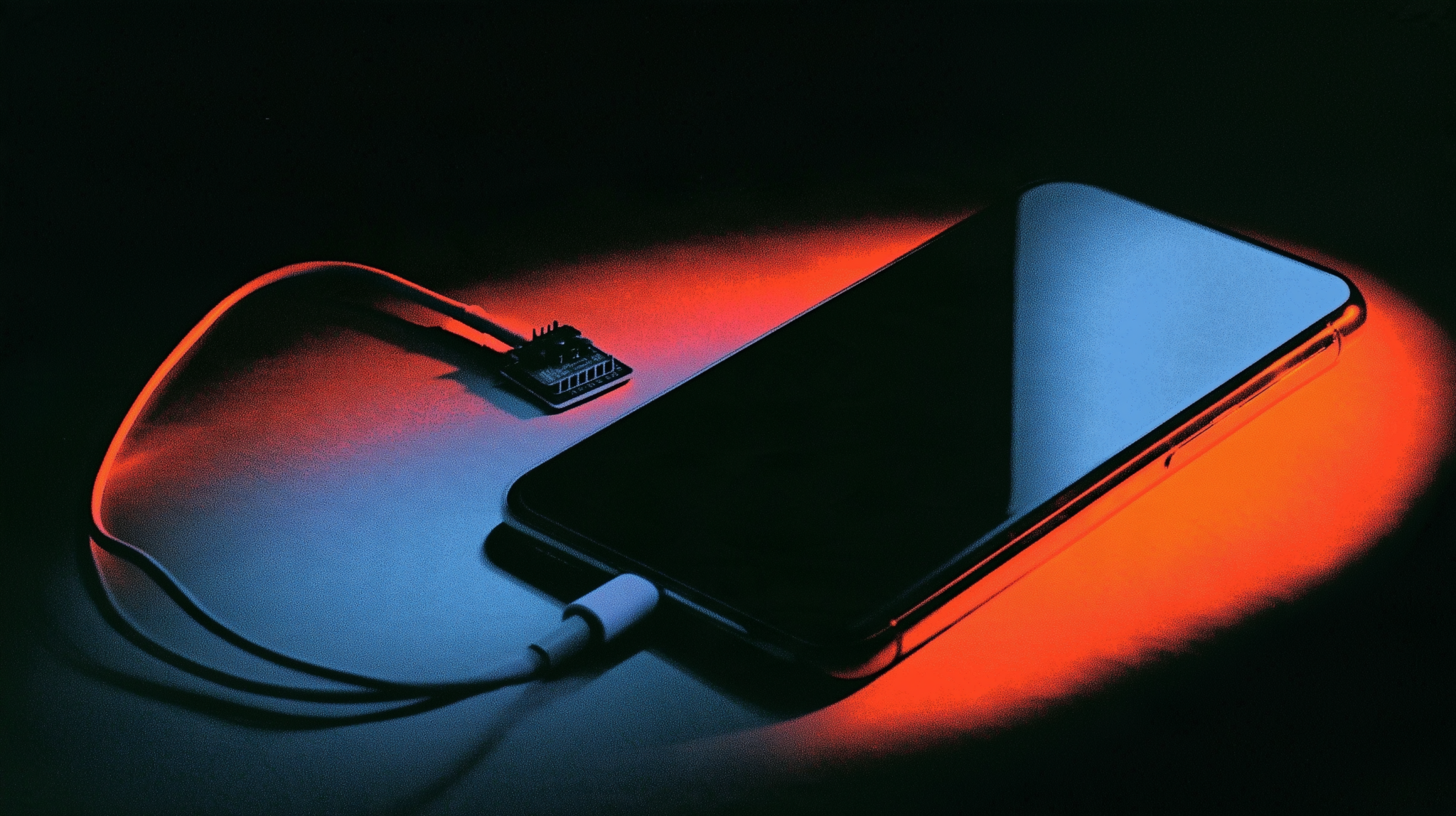
The ESP32 iPhone agent is a $7 dev board that makes a vision model into a user of your actual phone. The board plugs into the phone over USB and presents itself as a standard mouse and keyboard, so the model can tap and type. The phone mirrors its screen to your computer over AirPlay, which turns into JPEG frames the model looks at. Everything else runs on your machine. It’s MIT licensed with no hosted service and no account, it works with any OpenAI-compatible vision model including local ones and it needs no Mac, no developer account and no jailbreak. It took 2,819 stars in five days. The limits are real though: passcode screens, Apple Pay and DRM video don’t mirror at all and keyboard input is ASCII only.
Best for automating a spare phone you own. Not ideal for your daily driver with your bank app on it.
Most “AI controls your phone” projects need a Mac, a paid developer account or a jailbreak. The ESP32 iPhone agent needs none of those. It needs a board that costs about seven dollars.
That’s why it took 2,819 stars in five days from a standing start and why nobody in this morning’s 253-post scan had tweeted about it yet.
What The ESP32 iPhone Agent Actually Is
Three pieces doing three jobs. The phone shows its screen. The board moves the pointer. Your computer runs the thinking.
Here’s what’s confirmed, read off the GitHub API and the project’s own README this morning.
| Repo | onehumanbeing/esp32-iphone-agent |
| Stars | 2,819 |
| Forks | 365 |
| Fork ratio | 12.9% |
| Created | October 11, 2026 |
| Last push | October 16, 2026 |
| Open issues | 6 |
| Licence | MIT |
| Language | C |
| Hardware | Seeed Studio XIAO ESP32S3, “~$7, no camera add-on needed” |
| Hosted service | none |
| Models | any OpenAI-compatible vision model, cloud or local |
The “eyes” are AirPlay. Your iPhone mirrors to your computer, UxPlay receives the stream and a GStreamer pipeline turns it into JPEG frames the model can look at.
The “hands” are the board. It connects to the phone over USB and, in the README’s words, “shows up as a standard USB mouse and keyboard.” No pairing, no app, no trust prompt beyond what any keyboard gets. The phone needs AssistiveTouch turned on so a pointer exists to move.
The board itself holds almost no logic. It joins your computer’s Wi-Fi and accepts line commands like move, click and type. Everything that decides what to do runs on your machine.
Why The Approach Matters More Than The Tool
Every previous version of this needed Apple’s permission in some form.
Xcode automation needs a Mac. A sideloaded helper app needs a developer account and a resigning dance every seven days. Anything deeper needs a jailbreak, which means an older iOS version and a device you’ve given up on updating.
The ESP32 iPhone agent routes around all three by using two things Apple ships to everyone. AirPlay mirroring is a consumer feature. USB keyboard and mouse support is an accessibility feature, which is also why AssistiveTouch has to be on. Neither requires approval, a certificate or a modified phone.
So the clever part is choosing interfaces Apple built for other reasons and that are unlikely to be taken away, since one of them is accessibility.
It also means the project works on a current, fully updated iPhone, which is the thing jailbreak-based tools have never managed.
What It Can’t See
The limits section of the README is more useful than the demo and it tells you exactly where this stops.
Passcode entry doesn’t mirror. Neither does Apple Pay. Neither does DRM-protected video. Those screens come through as black or not at all, which means the agent can’t see them, which in turn means it can’t operate them.
That’s not a bug the project can fix. AirPlay deliberately excludes them and the exclusion is doing security work.
Mirroring also stops when the phone locks, so auto-lock has to be off for any session that runs unattended. A phone sitting awake and unlocked for hours is its own risk, separate from anything the agent does.
Keyboard input is ASCII only. No emoji, no accented characters, nothing outside the basic set. For a tool aimed at automating real apps, that rules out a lot of messaging.
One more that will bite people: if you change the AssistiveTouch tracking speed after calibrating, you have to recalibrate. The pointer maths is based on how far the phone moves the cursor per unit of mouse movement, so changing that setting silently breaks the mapping.
Where Your Screen Actually Goes
This is the part the stars won’t tell you about.
The frames are pictures of your phone screen and they go to whichever vision model you point it at. If that’s a cloud API, every notification, message preview and open app that appears on screen during a session goes to that provider under their terms.
The README is explicit that any OpenAI-compatible endpoint works, cloud or self-hosted, so the privacy answer is entirely yours to choose. Its own local example runs a Qwen model across two NVIDIA DGX Sparks, which no home setup is going to match. It also names vLLM plus SGLang, llama.cpp and Ollama as working options. Those are.
We went through the same question from a different angle in our piece on who pays for your free AI models, where the free gateways inside a trending plugin were routing prompts to third parties whose own model cards said those prompts might be logged. Text going somewhere unexpected is bad. Screenshots of your phone going somewhere unexpected is worse, because you don’t control what’s on screen when a notification lands.
The project is MIT and charges nothing. A cloud model API carries its provider’s charges, which the README doesn’t mention at all, so budget that separately if you go that route. Our Claude Pro review covers what subscription tiers include if you’re pricing the model side.
What Setup Actually Looks Like
Five steps and none of them is one command.
First you flash the board. That’s arduino-cli plus the ESP32 core, after filling your Wi-Fi details and your server’s IP address into secrets.h. Anyone who has flashed a microcontroller before will find this routine. Anyone who hasn’t is learning a new toolchain today.
Second, the computer side. Install UxPlay and the Python server, then configure server/.env with your model settings and start it.
Third, open the web UI on port 8890.
Fourth, the phone. Turn on AssistiveTouch, plug the board in, then pick “iPhone Agent” under Screen Mirroring.
Fifth, calibrate by clicking the pointer in the live screen view. Then you can type a task.
There’s a hardware detail worth planning for. The phone needs a USB-C port or a Lightning-to-USB camera adapter and since the board occupies the port, a USB-C hub with power pass-through is how you keep the phone charged through a long session.
There’s also a Linux gotcha the README calls out. On a machine with several network interfaces, the phone may not list your computer as an AirPlay receiver at all until Avahi is restricted to the right interface.
The Fork Ratio Says People Are Running It
Our rule from tracking this stuff daily: under 12% forks against stars, a repo is being bookmarked. Above that, people are pulling it down to run or change.
The ESP32 iPhone agent sits at 12.9%, which is 365 forks against 2,819 stars. Just over the line and well above what the week’s other breakout repos are doing.
For comparison, all read the same morning: anatomy is at 7.4%, magpie at 7.1% and the free-model plugin we covered on Sunday at 2.1%. Strata is at 9.9%.
A hardware project forking harder than pure-software ones makes sense when you think about it. You can’t try this by reading the README. You either buy the board or you don’t and the people who bought one need the code locally.
One honest note on velocity. The scan carries no measured day-over-day figure for this repo yet, so the 704.8 stars per day that vu-verify reports is total stars divided by age. That’s a since-launch average rather than a measurement of what it did yesterday.
The Disclaimer Carries The Whole Thing
The README says to automate only devices and accounts you own or have permission to use and to follow the terms of the apps involved. It also says to watch the agent and keep the emergency stop within reach.
Those two sentences cover a lot of ground. Most app terms of service prohibit automated access, enforced by account bans rather than by anything technical. A phone that looks like a human tapping is exactly what those terms exist to catch.
The “watch it” instruction is the one people will ignore and it’s the one that matters most. This tool has your unlocked phone, with your accounts signed in, driven by a model deciding its own next tap from a screenshot. A misread button is a sent message or a confirmed purchase.
The same question came up with the agent reverse-engineering tool that took 38,000 stars in a day, where the project’s disclaimer was careful and the viral demonstration of it wasn’t. Maintainers in this category keep writing the right warnings. The warnings keep arriving after the retweet.
How It Compares To Driving A Desktop
Computer-use agents on a Mac or a PC have had a year to mature, so the contrast is useful.
On a desktop, an agent reads the screen through documented capture APIs and sends input through documented input APIs. Both are first-class, both are fast and both expose structure beyond pixels. An agent can often ask what a button is rather than guessing from an image.
Everything here is pixels instead. AirPlay delivers a video stream rather than an accessibility tree, so the model sees a picture and infers a layout. That makes it sturdy in one sense, since it works on any app with no integration at all. It also makes it fragile, because a redesigned button becomes a new problem.
Latency differs too. A desktop capture is local. This path encodes video on the phone, sends it over Wi-Fi, decodes it, converts it to JPEG, then waits on a model. Every step adds time before a tap happens.
As a result the realistic use is slow, patient automation rather than anything interactive. Filling a form, working through a list, repeating a sequence somebody already knows. Not reacting to something time-sensitive. Nobody is going to win an auction with this. What separates a desktop agent from this one is seconds per action rather than capability, which is a solvable problem rather than a structural one.
Against that, the desktop versions can’t touch a phone at all, which is where a lot of the apps people actually live in have ended up.
What We Would Want Measured
Nobody has published numbers on this, so here is what would settle whether it’s a tool or a demo.
First, seconds per action end to end. From frame capture to the tap landing, on a normal home network with a cloud model and again with a local one. That single figure decides which tasks are realistic.
Second, tap accuracy after calibration. The pointer mapping depends on AssistiveTouch tracking speed, so the honest question is how often the agent hits what it meant to hit across a hundred actions rather than in a demo video.
Third, the cost of a session. Each action means at least one image going to a vision model and images are the expensive input. An hour of patient automation could quietly cost more than the board did. Frames are also not small, since a phone screen at any useful resolution is a lot of pixels to send on every single step.
Fourth, recovery. What happens when the model taps the wrong thing? Does it notice from the next frame and back out, or does it keep going? That behaviour matters more than raw accuracy, because a tool that recognises its own mistakes is usable at 90% while one that doesn’t needs 99%.
We haven’t bought the board, so we aren’t going to guess at any of these. If you run it, those four numbers are the ones worth sharing.
Verified vs Asserted
Why This Category Keeps Growing
Phone agents have been the weak spot all year. Coding agents got good. Computer-use agents on desktops got usable. Mobile stayed awkward and a thread in r/AI_Agents this morning asked exactly why.
Part of the answer is that phones were closed in a way desktops never were. On a Mac or a PC, an agent can read the screen and send input through documented APIs. On a phone, every route ran through the vendor.
So projects worked around it by moving the problem off the device. The ESP32 iPhone agent is the clean version of that idea. The phone does nothing unusual, the computer does the thinking and a seven dollar board bridges the two.
What makes it feel inevitable in hindsight is that both halves already existed. People have mirrored iPhones to computers for a decade. People have built USB HID devices out of microcontrollers for longer. Nobody had put those two together and pointed a vision model at the result.
The same pattern ran through our roundup of repos that turn Claude into something you use daily. The tools that stick are rarely new technology. They’re two old things wired together by somebody who noticed.
Why Nobody Tweeted It
At 2,819 stars in five days, this should have been all over X. Our scan read 253 posts this morning across 17 queries and found nothing, which is why it came through flagged SILENT.
That gap is worth a moment, because it says something about how things spread now. A repo with a visible demo video and a famous name attached travels on X. A repo that needs you to buy a seven dollar board first travels on forums, group chats and wherever people who already own that board talk to each other.
In other words the audience for this one is self-selecting in a way a screenshot can’t reach. You either have a spare phone and a drawer of microcontrollers or you don’t and if you do, somebody in your corner of the internet has already sent you the link.
For us that is the useful signal rather than a problem. A project climbing without social amplification is climbing on the thing itself, which is a better indicator than a launch thread with a good hook.
It also means the usual sources would never have surfaced it. News aggregators index tools after writeups exist and nobody has written one yet.
So the only way to catch something like this is to watch the repositories directly rather than waiting for coverage. That is the whole reason we run a daily scan instead of reading newsletters and this repo is the clearest argument for it we have had in weeks.
What You Should Actually Do
If You Have A Spare Phone
This is the setup the project is built for. An old iPhone with a fresh account on it, no banking apps, no personal messages, auto-lock off because it’s sitting on a desk anyway. That removes most of the risk and all of the privacy question in one move.
If You Only Have Your Daily Driver
Don’t. Your phone unlocked for hours with an agent tapping through apps under your signed-in accounts is a bad trade for a weekend experiment. Buy a used phone instead and it still costs less than one month of most AI subscriptions.
If You Care Where The Frames Go
Point it at a local model. The README names vLLM plus SGLang, llama.cpp and Ollama as working options. This is the use case where running locally stops being ideology and starts being obvious. Pictures of your phone screen are the most personal thing you could hand an API.
If You Just Want To Understand The Idea
Read the limits section before the demo. It’s the part that tells you what this is and it’s two minutes. The whole project makes sense once you know what AirPlay refuses to show.
The Part Worth Keeping
The hardware costs seven dollars. Software is MIT with no account and no hosted anything. It leans on two interfaces, AirPlay and USB accessibility, both shipped by Apple for other reasons and neither needing approval.
That’s why 365 people forked it in five days instead of just starring it. You can’t evaluate this one by reading about it.
What should slow you down is simpler. The thing holding your unlocked phone is a model reading a screenshot and guessing its next tap, with your accounts signed in behind it. The README says to watch it and keep the stop button close. That line was written by someone who had already seen it get something wrong.
Charts and Blocks
Who Is Running It Rather Than Bookmarking It
What AirPlay Will And Won’t Show The Model