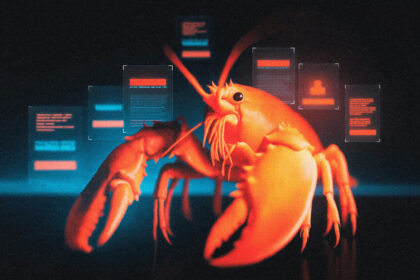

Most AI agents forget you exist the moment you close the tab.
You spend an afternoon teaching one your codebase, your naming conventions, your deployment pipeline. You get real work done. Then you close the session, open a new one, and it has no idea who you are. Start over. Re-explain everything. Watch it make the same mistakes you already corrected.
This is the problem every AI agent claims to solve. Almost none of them actually do.
Hermes Agent is an open source autonomous agent built by Nous Research that takes a fundamentally different approach. It doesn’t just store your conversations. It builds skills from its own experience, improves those skills during use, searches its own history across sessions, and constructs a persistent model of who you are and how you work. The longer it runs, the more capable it becomes.
That’s not a tagline. It’s the architecture.
At 24,200 GitHub stars and climbing (with v0.7.0 dropping just this week), Hermes Agent is the most technically interesting project in the open source agent space right now. Not the most popular. That title still belongs to OpenClaw by a massive margin. But Hermes is solving the problem everyone else keeps ignoring: what happens after session one.
We covered Hermes briefly in our initial intro piece. This is the full guide. Everything it does, how to install it, what it costs, what people are actually saying about it, and whether it’s worth your time.
What Is Hermes Agent?
Hermes Agent is a self-hosted, open source AI agent framework released in February 2026 by Nous Research. MIT license. No telemetry. No tracking. No cloud lock in. Your data stays on your machine.
But calling it an “agent framework” undersells what’s actually happening here.
Most agents are chatbot wrappers. You type a prompt, you get a response, the conversation lives in a window that resets when you close it. Hermes is an autonomous system that lives on your server, connects to your messaging apps, runs scheduled tasks while you sleep, and remembers everything it’s ever learned across every session you’ve ever had with it.
The key difference from something like OpenClaw: Hermes’s skills are maintained by itself. OpenClaw’s skills are maintained by humans. That’s not a small distinction. It’s the entire thesis of the project.
Who Built This and Why That Matters
Nous Research isn’t a weekend project that went viral. They’re an AI safety and capabilities research lab founded in 2023 by Jeffrey Quesnelle, Karan Malhotra, Teknium, and Shivani Mitra. The team is behind the Hermes, Nomos, and Psyche model families. They’ve raised $65 million in funding, with a $50 million Series A led by Paradigm. About 20 employees, headquartered in Austin, Texas.
This matters for a specific reason. Hermes Agent wasn’t built by a product company shipping features. It was built by the people who train the models themselves. They understand what goes wrong between an LLM and a user at a level most agent frameworks don’t even attempt to address. The agent is built on their Hermes 3 model family, fine tuned with their own reinforcement learning framework called Atropos for reliable tool calling and long range planning.
Their stated mission is advancing open source AI through decentralized, community driven development. Which sounds like every other AI company’s About page until you look at the output: eight major releases in six weeks, 187 hackathon submissions, 142 contributors, and thousands of commits. They’re not talking about open source. They’re doing it at a pace that’s hard to ignore.
How the Learning Loop Actually Works
This is the part that separates Hermes from everything else in the space. Every agent has “memory.” Most of them mean “we store your chats.” Hermes does something structurally different.
The architecture runs a closed learning loop with three components that feed into each other.
Persistent memory with real recall. Hermes uses FTS5 full text search over all past sessions stored in SQLite, combined with LLM powered summarization. The agent can search conversations from weeks ago, pull specific details, and apply them to current work. It also runs what Nous calls “periodic nudges” where it proactively decides to save information it thinks will be useful later. On top of that, Honcho dialectic user modeling builds a progressively deeper understanding of how you work, what you prefer, and how you communicate.
One important caveat the marketing doesn’t make obvious: Honcho is off by default. Multiple Reddit users reported confusion when the “self learning” features didn’t seem to work out of the box. You need to explicitly enable it in configuration. This is a documentation gap the team needs to fix.
Autonomous skill creation. After completing a complex task (typically five or more tool calls), the agent can synthesize that experience into a permanent, reusable skill document. These skills are stored as structured markdown files following the open agentskills.io standard. They include procedures, pitfalls, and verification steps. The next time a similar task comes up, the agent loads the skill instead of solving the problem from scratch.
Here’s the part that actually matters: skills self improve during use. When the agent discovers a better approach while using an existing skill, it updates the skill document. One Reddit user reported a 40% speedup on repeated research tasks after the agent created three skill documents over two hours.
A self training pipeline. Hermes integrates with Atropos, Nous Research’s RL framework, for batch trajectory generation. You can generate thousands of tool calling trajectories in parallel, export them in ShareGPT format, and use them to fine tune smaller, cheaper models. This is research grade infrastructure inside a consumer product. Most people won’t use it. The people who do will have an agent that keeps getting better in ways no other tool can match.
What People Are Actually Doing With It
The use cases split into a few categories that are more varied than you’d expect from something that looks like a coding agent on the surface.
Persistent research and monitoring. Set up a cron job in natural language, point it at sources, get daily briefings on Telegram or Discord. One user set up automated monitoring of trending open source AI topics across Reddit and X, delivered as a structured morning report. If you’re building with automation tools, this replaces an entire workflow.
Coding with actual memory. Developers use it as a persistent coding partner that remembers the codebase, conventions, and deployment pipeline between sessions. Combined with six terminal backends (local, Docker, SSH, Daytona, Singularity, Modal), you can have it working on a cloud VM while you’re away from your desk.
The gateway as the real product. This is the insight most people miss. One user on X put it clearly: “The CLI is not the product. The gateway is.” You connect Telegram, Discord, Slack, WhatsApp, Signal, or email to a single gateway process. The agent lives there. Start a conversation on Telegram from your phone, pick it up in the terminal on your laptop. Voice memos are transcribed and processed. It’s genuinely cross platform in a way most tools claim but don’t deliver.
Cron scheduling in plain English. Describe what you want conversationally. “Every morning at 8am, scan these GitHub repos for new releases and send me a summary on Telegram.” It runs unattended through the gateway. Daily reports, nightly backups, weekly audits, all scheduled in natural language.
Agent to agent communication. As of recent releases, Hermes agents can message each other, establish secure connections, and collaborate. One user described watching two agents establish a connection and begin coordinating as “a very magical moment.”
How to Install Hermes Agent
The installation experience is genuinely one command on supported platforms. But there are multiple paths depending on your setup, and the right choice depends on what you’re trying to do.
Before You Start
Get an API key or a local model ready. Hermes needs an LLM backend. Your options:
Nous Portal (OAuth, 400+ models), OpenRouter (API key, 200+ models), OpenAI, Hugging Face, or any OpenAI compatible endpoint including local models via Ollama, vLLM, or SGLang.
The budget friendly path: OpenRouter with a cheaper model like Claude Haiku or DeepSeek. The privacy path: Ollama running locally with a 13B or 30B parameter model. The performance path: Claude Sonnet or Opus via Anthropic API.
Pick a messaging platform. Telegram is the easiest and most stable. Have it installed on your phone before you begin.
Path 1: VPS Self Hosting (Recommended)
A $5/month VPS gives you 24/7 uptime and keeps your personal machine clean. Hetzner, DigitalOcean, and Contabo are the popular options. This is the setup most experienced users recommend.
Step 1: SSH into your server.
ssh root@your-server-ipStep 2: Install Hermes Agent.
curl -fsSL https://raw.githubusercontent.com/NousResearch/hermes-agent/main/scripts/install.sh | bashThat handles everything. Python 3.11, Node.js, dependencies, and the hermes command. No sudo needed. Only prerequisite is git.
Step 3: Run the setup wizard.
hermes setupThis walks you through connecting to an LLM provider. Select Nous Portal, OpenRouter, or your own endpoint. Enter your API key or OAuth credentials. Choose your default model.
Step 4: Start the CLI.
hermesYou’re in. Full interactive TUI with multiline editing, slash command autocomplete, conversation history, and streaming tool output.
Step 5: Set up the messaging gateway.
hermes gateway setupThe wizard walks you through connecting Telegram, Discord, Slack, or WhatsApp. For Telegram: create a bot via @BotFather, paste the token when prompted.
Step 6: Install the gateway as a system service.
hermes gateway installThis registers it as a systemd service that starts automatically on reboot. Your agent is now always on.
Path 2: Local Mac Installation
For running on a dedicated Mac Mini or desktop Mac:
# Install Hermes Agent (handles Python, Node, everything)
curl -fsSL https://raw.githubusercontent.com/NousResearch/hermes-agent/main/scripts/install.sh | bash

# Run setup
hermes setup

# Start the agent
hermes
For 24/7 operation on a Mac Mini: install Amphetamine from the App Store, disable sleep, and install the gateway as a service with hermes gateway install.
If you want to run local models alongside Hermes, install Ollama separately and point Hermes at it during setup. A Mac Mini M4 with 24GB handles 13B parameter models comfortably.
Path 3: Windows via WSL2
Native Windows is not supported. WSL2 is required.
- Open PowerShell as Administrator:
wsl --install- Restart when prompted. Open the Ubuntu app from the Start menu.
- Run the same install command inside Ubuntu:
curl -fsSL https://raw.githubusercontent.com/NousResearch/hermes-agent/main/scripts/install.sh | bash
hermes setup
hermes
Windows users: Hermes only runs while your WSL2 session is active. For 24/7 operation, a VPS is better.
Path 4: Docker
As of v0.6.0, there’s an official Dockerfile supporting both CLI and gateway modes with volume mounted config:
docker pull nousresearch/hermes-agent
docker run -v ~/.hermes:/root/.hermes nousresearch/hermes-agent
Path 5: One Click Install via Pinokio
If terminals make you nervous, Pinokio offers a one click launcher that handles everything. Go from zero to chatting with Hermes in under a minute.
Path 6: Serverless (Modal / Daytona)
For cost optimization, Modal and Daytona backends offer serverless persistence. Your agent’s environment hibernates when idle and wakes on demand, costing nearly nothing between sessions. Configure via:
# In ~/.hermes/config.yaml
terminal:
  backend: modal  # or daytona
Coming from OpenClaw?
Hermes can automatically import your settings, memories, skills, and API keys. During first time setup, the wizard detects ~/.openclaw and offers to migrate. Or run it manually:
hermes claw migrate              # Interactive migration
hermes claw migrate --dry-run    # Preview what would be migrated
Common Problems and Fixes
“Hermes isn’t configured yet” loop — The setup wizard sometimes doesn’t save provider config correctly. Run hermes setup again and manually verify ~/.hermes/config.yaml has your provider and API key set.
Context window shows wrong size for local models — Known issue. Hermes sometimes reports 2M context when running a 128K local model. Set context length explicitly in config.
Memory/learning doesn’t seem to work — Honcho (the self improvement engine) is off by default. Enable it in ~/.hermes/config.yaml. This is the most common source of confusion for new users.
High API costs — Check what model you’re defaulting to. Switch to a cheaper model with hermes model. Use hermes logs to see every API call.
Gateway won’t start — Check that your bot token is valid and that no other process is using the same port. Run hermes doctor to diagnose issues.
How to update:
hermes updatePulls latest changes and reinstalls dependencies. Run regularly for security fixes.
What Does It Actually Cost?
The software is free. MIT license, no subscription, no paywall. Costs come from two places: hosting and AI model API usage.
Hosting Costs
| Option | Monthly Cost | Notes |
|---|---|---|
| Oracle Cloud Free Tier | $0 | 2 VMs free forever, some setup |
| Raspberry Pi | ~$1 electricity | Upfront ~$80 hardware |
| Hetzner/Contabo VPS | $4-6 | Most popular choice |
| DigitalOcean droplet | $6-12 | Easy managed option |
| Modal/Daytona serverless | Near $0 idle | Pay only when agent is active |
| Mac Mini M4 (upfront) | ~$600 one time + $1/mo electricity | Best local option |
API Costs
Every task Hermes executes burns API tokens. Your model choice matters enormously.
| Model | Input /1M tokens | Output /1M tokens | Best For |
|---|---|---|---|
| Local via Ollama | $0 | $0 | Maximum privacy, needs hardware |
| DeepSeek V3 (OpenRouter) | ~$0.27 | ~$1.10 | Budget friendly |
| Claude Haiku 4.5 | ~$1 | ~$5 | Fast, cheap, simple tasks |
| Claude Sonnet 4.6 | ~$3 | ~$15 | Best balance, recommended default |
| Claude Opus 4.6 | ~$5 | ~$25 | Complex reasoning only |
Real World Monthly Estimates
| Usage Level | What That Looks Like | Estimated Total |
|---|---|---|
| Minimal | Occasional questions, light cron jobs | $5-10/month |
| Light | Daily workflows, Telegram gateway, cheap model | $10-20/month |
| Regular | Multiple daily workflows, Sonnet default | $20-40/month |
| Heavy | Multi profile agents, premium models, browser automation | $50-150/month |
| Local only | Ollama on own hardware, no API costs | $5-6/month (VPS only) |
Hermes is generally more token efficient than OpenClaw. Multiple Reddit users confirmed this independently, with one noting it works well even with 30B class local models where competitors struggle.
Hardware: What to Actually Buy
If you want Hermes running 24/7 on your own hardware, the same recommendations from our OpenClaw guide apply.
Mac Mini M4 16GB (~$599) — The entry point. Perfect for cloud API usage. Handles smaller local models.
Mac Mini M4 24GB (~$799) — Sweet spot for running 13B parameter local models alongside the agent. Most commonly recommended.
Mac Mini M4 Pro 48GB (~$1,399) — For 30B+ local models. Overkill for cloud API only setups.
Budget: Mini PC ($150-300) — Beelink/GEEKOM with Intel N100, 16GB RAM. Runs Hermes on Linux for cloud API orchestration. No local inference.
Starter: Raspberry Pi 5 8GB (~$80) — Cheapest always on option. Fine for light cloud API workloads.
Not sure? A $5/month VPS is the right call. Migrate to local hardware later once you’re committed.
How Hermes Compares to Everything Else
The honest comparison isn’t “Hermes vs ChatGPT.” That’s the wrong frame. These tools are solving different problems.
| Hermes Agent | OpenClaw | Claude Cowork | CREAO | CrewAI | |
|---|---|---|---|---|---|
| Setup time | 5-10 min | 20-30 min | 2 min | 5 min | 20 min (Python) |
| Technical level | Medium | Medium | Low | Low | High |
| Messaging platforms | Telegram, Discord, Slack, WhatsApp, Signal, Email, Feishu, WeCom | WhatsApp, Telegram, Discord, Slack, Signal | None (desktop app) | None (web dashboard) | Web UI only |
| Multi-agent | Profiles (v0.6.0) | Yes (core feature) | No | No | Yes (core feature) |
| Persistent memory | Yes (FTS5 + skills + user modeling) | Yes (local files) | Limited | Limited | Via LangChain |
| Self-improving skills | Yes (autonomous) | No (human maintained) | No | No | No |
| Model flexibility | 400+ via Nous Portal, OpenRouter, local models | Cloud APIs + Ollama | Claude only | Multiple | LangChain models |
| Local model support | Strong (per-model tool call parsers) | Basic | No | No | Via LangChain |
| Software cost | Free | Free | $20-200/month | Free/$25 month | Free |
| Best for | Self-improving personal agent | Personal automation via messaging | Desktop task execution | Scheduled agent briefings | Multi-agent team workflows |
Use Hermes if you want an agent that genuinely gets better over time, supports local models without compromise, and lives in your messaging apps.
Use OpenClaw if you want the largest community, the most battle tested codebase, and multi-agent orchestration out of the box.
Use Claude Cowork if you want zero setup and are willing to pay Anthropic’s subscription for a polished desktop experience.
Use CREAO if you want scheduled agent briefings without any installation.
Use CrewAI if you’re building production Python workflows with clear multi-agent role divisions.
The most useful framing from the community: Hermes and OpenClaw are complementary, not zero sum. OpenClaw is a system to be orchestrated. Hermes is a mind to be developed. Different problems, different architectures.
What Twitter and Reddit Actually Say
Real people, real experiences, direct links.
The believers:
Dan Wahlin found it comparable to established tools with minimal friction: “Quick and easy to setup… a lot like using Claude Code or Copilot CLI.”
Austin Hurwitz was direct about the competitive advantage: the memory and learning capabilities are “far superior to OpenClaw.”
KSimback started skeptical and flipped: “Can now confidently say Hermes community is crushing it.”
One user set up automated trending AI topic reports across Reddit and X, delivered to Telegram. Took about an hour to configure.
Roker_51 captured the accessibility angle: “this one feels like it was made for people like me” as a non-technical user.
On Reddit’s r/LocalLLaMA, the most upvoted comparison called it “like an OpenClaw with 1 week of debugging manually done + RAG + memory persistence + better tool calling.” Another user claiming to work at a major AI lab said they deployed Hermes internally and found it “incredible.”
The ones with caveats:
Alexis Gallagher raised a fair architectural question: “I doubt we’ll converge on one way to do agent memory.” Fair point. The memory wars are just starting.
The biggest Reddit complaint: memory features not working out of the box because Honcho is disabled by default. Several users reported confusion when the “self learning” marketing didn’t match their initial experience. Once enabled, the sentiment shifted dramatically.
Context window misdetection for local models was flagged by sudoingX, showing 2M when running a 128K model. Known issue, workaround available in config.
Telegram profile mapping limitations were noted as a friction point for gateway users.
The most useful take:
One user on r/LocalLLaMA nailed the core value proposition: Hermes is “much less token hungry” than competitors and works well with smaller local models. For anyone running 30B class models on their own hardware, that efficiency difference is the whole ballgame.
The Security Stuff You Need to Know
Hermes gets terminal access to your machine. That’s the feature. And it’s the risk.
The security model uses what Nous calls defense in depth: multiple independent layers that don’t depend on each other.
Dangerous command approval. Before executing any terminal command, Hermes checks it against a curated list of dangerous patterns. If a match is found, execution pauses and you must explicitly approve it. Three modes: manual (approve everything flagged), smart (reduces approval fatigue), and off (only in trusted environments like containers). There’s also a YOLO mode that bypasses all prompts for the current session. Use that at your own risk.
Container isolation. The Docker backend drops all capabilities, prevents privilege escalation, and sets PID limits. Modal and Daytona provide cloud isolated execution. For production gateway deployments, using a container backend eliminates the need for dangerous command approval entirely because the container itself is the security boundary.
Tirith pre-execution scanning. Commands are analyzed for dangerous patterns before execution. Context files (AGENTS.md, .cursorrules, SOUL.md) are scanned for prompt injection before being included in the system prompt.
Known issues to be aware of:
A community security review found that the Docker container runs as root by default with no USER directive. Combined with retained DAC_OVERRIDE capabilities, this increases the blast radius of any in-container compromise. The issue is documented on GitHub and being addressed.
The execute_code sandbox includes terminal in its allowed tools, which can potentially bypass command approval via the code execution tool. Also documented.
No major supply chain attack comparable to OpenClaw’s ClawHub malware incident has hit Hermes’s ecosystem yet. The smaller attack surface and younger community play a role, but v0.5.0 included a comprehensive supply chain audit and 50+ security fixes specifically to get ahead of this.
How to protect yourself:
Never run Hermes on your primary work machine. Dedicated hardware or VPS only.
Use Docker, Modal, or Daytona backends for production gateway deployments.
Set API spending limits before you start.
Keep API keys in ~/.hermes/.env with chmod 600 permissions.
Only install skills from verified publishers. Read the SKILL.md before installing anything from the community. We covered the full agent skills ecosystem in detail.
Keep it updated. hermes update pulls the latest security fixes.
The Hermes Ecosystem
Since launch, a growing ecosystem has formed around Hermes Agent.
hermes-workspace — A web based workspace with chat, terminal, memory browser, skills manager, and inspector. Built during the Nous Hackathon 2026. The most complete GUI for Hermes.
mission-control — Open source dashboard for AI agent orchestration. Manage agent fleets, dispatch tasks, track costs. 3,700+ stars.
awesome-hermes-agent — Community curated list of skills, tools, and integrations.
HermesHub — Security scanned skills hub with 65+ threat rules, 8 scan categories, and 21 verified skills. Security first approach to the skills ecosystem.
autonovel — Autonomous novel writing pipeline. Built by Nous Research themselves using Hermes Agent.
hermes-agent-self-evolution — Evolutionary self improvement using DSPy + GEPA. Research grade stuff.
The hackathon produced 187 submissions with an $11,750 prize pool. Projects included browser sidecar extensions, cognitive compression skills, and recursive LoRA self improvement. The community is small compared to OpenClaw but growing fast, with 2,400 members in the dedicated X community.
One thing worth watching: the Skills Hub at hermes-agent.nousresearch.com/docs/skills/ already lists skills for everything from Gmail and Linear integration to academic paper writing pipelines and X/Twitter interaction via CLI. The agent skills ecosystem is shaping up to be a major differentiator.
Is Hermes Agent Right for You?
| User Type | Verdict | Why |
|---|---|---|
| Developers comfortable with CLI | Strong yes | Persistent memory, skill learning, and model flexibility are unmatched |
| OpenClaw users hitting memory limits | Yes | Built in migration, genuinely better memory architecture |
| Local model enthusiasts | Strong yes | Per-model tool call parsers, low token usage, Ollama/vLLM/SGLang support |
| Content creators and researchers | Yes | Cron scheduling, research automation, Telegram delivery |
| Privacy focused users | Strong yes | Self hosted, MIT license, no telemetry, local model support |
| Non-technical users | Try Pinokio first | One click install helps, but gateway setup still needs some comfort |
| Enterprise teams | Evaluate carefully | Profiles help (v0.6.0), but governance tooling is less mature than alternatives |
| People who want multi-agent teams | Wait or pair with OpenClaw | Profiles are a step forward but not full multi-agent orchestration yet |
The Verdict
Hermes Agent is the answer to a question that most AI companies aren’t even asking yet.
Not “how do we make agents smarter.” Not “how do we add more tools.” The question is: what happens when an AI agent actually learns from working with you? When it builds its own procedures from experience and improves them without being told to?
OpenClaw proved that people want agents that do things. Hermes is proving that people want agents that remember things. Those are two different products solving two different problems, and right now, Hermes is the only open source project taking the memory side seriously at an architectural level.
The rough edges are real. Honcho not being enabled by default is genuinely misleading when the tagline is “the agent that grows with you.” The community is smaller. Multi-agent orchestration is still catching up. Documentation has gaps in exactly the places where new users get stuck.
But the foundation is something nobody else has built. A self improving skill system backed by a real research lab with $65 million in funding and the people who actually train the models. Eight major releases in six weeks. 24,000 stars and accelerating. v0.7.0 shipped with pluggable memory providers, credential pool rotation, and an anti-detection browser backend across 168 PRs. An OpenClaw migration tool that tells you everything about where the momentum is heading.
The people figuring this out now are going to look back at this moment the way early OpenClaw adopters look back at January. Not because the tool is perfect. Because the architecture is right.
And in this space, that’s the only thing that matters long term.