


Most people find out about automation tools the same way. Zapier shows up in a YouTube video or a productivity blog, they sign up, they build a few workflows, and for a while everything’s fine. Then the bill starts climbing. Or they try to build something slightly complex and hit a wall. And they start wondering if there’s a better way.
There is. There are actually two better ways depending on what you need. Make.com and n8n have both eaten into Zapier’s dominance in 2026 and for good reason. Here’s the honest breakdown of all three so you can stop paying for the wrong tool.
What They Actually Do
All three tools do the same fundamental thing. They connect your apps and automate tasks between them without you writing code. Someone fills out a form on your website. The automation captures that data, adds it to your CRM, sends a welcome email, and notifies your team on Slack. All automatically. While you’re doing something else.
Where they differ is in how they handle complexity, what they cost as you scale, and how much technical knowledge they expect from you.
A quick note on the video: it covers all three tools including n8n which we’ll get into below. If you’ve never heard of n8n don’t worry — by the end of this post you’ll know exactly whether it’s relevant to you or something you can ignore for now.
The Honest Comparison
This is the number that actually matters. Here’s the honest breakdown:
| Make.com | Zapier | n8n | |
|---|---|---|---|
| Free plan | 1,000 ops/month | 100 tasks/month | Unlimited (self-hosted) |
| Entry paid plan | $9/mo for 10,000 ops | $19.99/mo for 750 tasks | $20/mo cloud version |
| How they count | Every module execution | Every action step | Per workflow execution |
| App integrations | 2,400+ | 7,000+ | 400+ native, unlimited via API |
| Visual builder | Yes | No | Yes |
| Error handling | Native | Limited | Advanced |
| Technical skill needed | Low to medium | Low | Medium to high |
| Best for | Complex workflows, cost control | Beginners, broad app support | Developers, data privacy |
Zapier: The Easy Entry Point
Zapier built this category and it’s still the default recommendation for anyone who’s never automated anything before. The interface is clean, the setup is guided, and you can have something working in under five minutes. G2 rates it 4.5 out of 5 from over 1,500 reviews and the ease of use scores are consistently the highest of the three.
The app library is also genuinely impressive. 7,000+ integrations means if you use it, Zapier probably connects to it. Niche CRMs, legacy software, tools nobody else has heard of. Zapier’s coverage is almost universal.
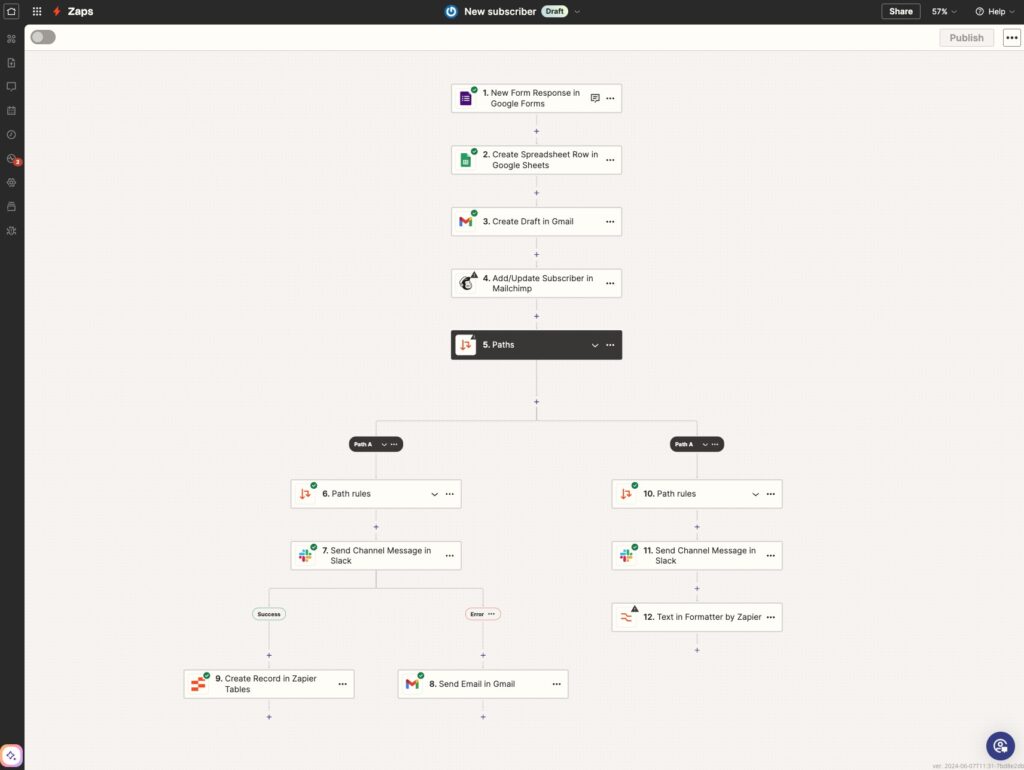
Here’s where it falls apart. The pricing model charges you per task, meaning every action in every workflow counts against your quota. A five step workflow running 1,000 times a month costs 5,000 tasks. At Zapier’s starter pricing that adds up fast. One independent reviewer built the same 20 workflows on both Zapier and Make and found Make costs 5 to 7 times less for equivalent work.
The other problem is complexity. Zapier’s linear structure works great for simple automations. Trigger happens, actions follow, done. The moment you need branching logic, error handling, or parallel processing it gets clunky fast and every additional step costs more money.
Make.com: The Power User’s Choice
Make.com is what most people end up switching to when Zapier’s pricing becomes painful or their workflows outgrow what linear automation can handle.
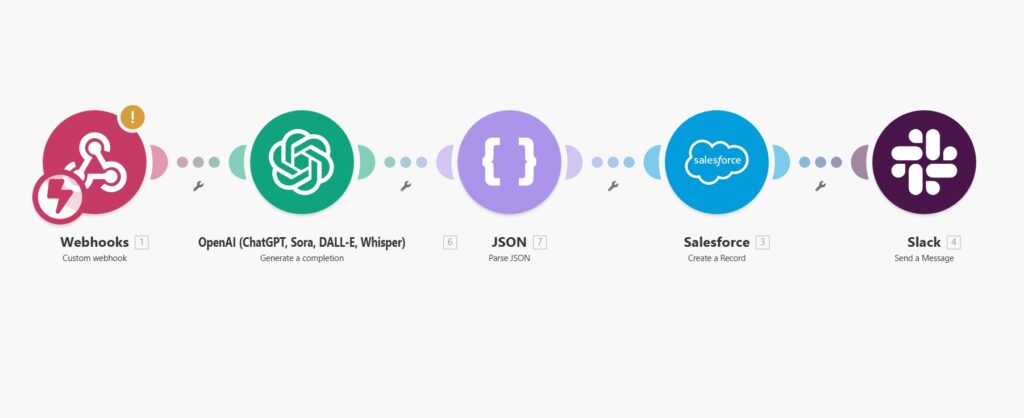
The visual canvas is the thing that changes everything. Instead of building workflows as a sequence of steps you build them as actual diagrams. Every connection, every branch, every condition is visible on one screen. When something breaks you can see exactly where it broke and why. When you want to add complexity you drag and connect rather than navigate through nested menus.
The pricing reflects this power user positioning. $9 a month gets you 10,000 operations, compared to Zapier’s $19.99 for 750 tasks. The free tier gives you 1,000 operations versus Zapier’s 100 tasks. That’s 10 times more room to test before you pay anything.
The catch is the learning curve. Make.com isn’t hard but it isn’t as hand-holdy as Zapier either. You need to understand data mapping, how modules connect, and how to think in branching logic. Most people who commit to learning it say the investment pays off within the first month. Make’s own community suggests going through Make Academy before building anything complex which takes a few hours but saves a lot of frustration.
n8n: The One for People Who Want Full Control
n8n is the outlier in this comparison and it isn’t for everyone. But it deserves its own section because for the right person it’s the most powerful option of the three by a significant margin.
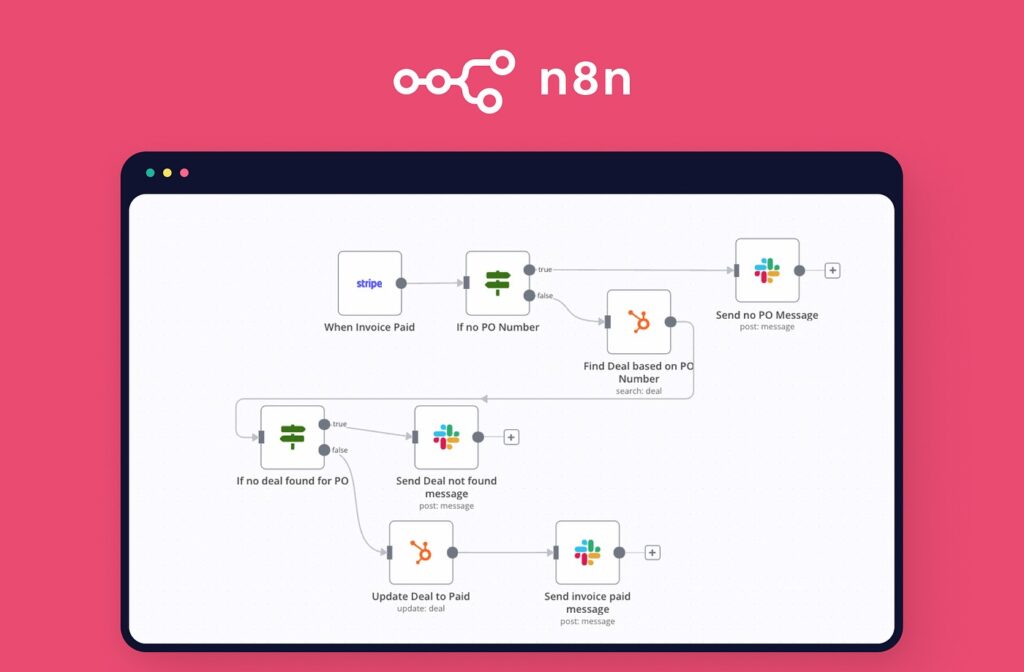
n8n is open source. You can self-host it on your own server, which means your data never touches a third party platform, the cost is essentially zero beyond hosting fees, and you have complete control over everything. For developers, privacy-conscious businesses, or anyone running high volume automations where per-task pricing would be prohibitive, n8n removes the ceiling entirely.
The technical bar is real though. Setting up n8n self-hosted requires comfort with servers, command lines, and basic DevOps concepts. It’s not something you spin up in an afternoon if you’ve never done anything like it before. The cloud version at $20 a month removes the self-hosting requirement but you lose the cost and privacy advantages that make n8n compelling in the first place.
The app integration library is smaller at around 400 native integrations. But n8n’s HTTP request node lets you connect to virtually any API that exists, so the practical ceiling is much higher than that number suggests if you’re comfortable working with APIs directly.
If you’re just getting started with automation, n8n is not your first tool. Come back to it in six months when you know what you’re building and why. If you’re already running complex workflows and the costs or data privacy are becoming concerns, n8n is where a lot of power users end up and it’s worth the investment to learn.
The AI Agent Factor
All three tools are scrambling to position themselves for the agentic AI wave right now. Zapier has Copilot, which lets you describe a workflow in plain English and it suggests the Zap. Make’s AI builder Maia is still in early access. n8n has native LangChain nodes for building sophisticated AI workflows with different models and providers.
On current AI tooling Zapier is ahead for ease of use. n8n is ahead for raw capability if you’re building serious AI agent workflows. Make is catching up but isn’t there yet.
The broader point is that AI agents are starting to handle things that automation tools used to handle exclusively. Tools like OpenClaw can autonomously manage email, update CRMs, and schedule follow-ups without a workflow being built at all. Automation platforms aren’t going away — agents need structured integrations too — but the nature of what these tools are for is shifting. Make and n8n are better positioned for this future because their architectures handle complex branching logic natively. Zapier’s linear model is harder to adapt.
Which One Should You Use
Here’s the straight answer:
Start with Zapier if you’ve never automated anything, you need something working today, and your workflows are simple. Accept that you’ll probably outgrow it.
Switch to Make.com when your Zapier bill starts climbing, when your workflows need branching logic or error handling, or when you want to build something that a linear tool can’t handle. The learning curve is real but worth it for anyone serious about automation.
Look at n8n when you’re running high volume workflows where per-task pricing is killing your margins, when data privacy is a hard requirement, or when you have the technical comfort to self-host and want the ceiling removed entirely.
The move a lot of people make: start on Zapier, migrate the complex or expensive workflows to Make once you know what you’re building, and revisit n8n when the business needs justify the technical investment. That path makes sense and you won’t lose anything by taking it one step at a time.